Attack VFX with Butterflies
A Unity VFX entry for Riot Games' Creative Contest 2017: fireworks of butterflies that fly out, charge back, and detonate on impact. Built with nested sub-emitters, external forces and a hand-animated petal system.
Originally published as a Q&A on 80.lv: Making Attack VFX with Butterflies. Reproduced here with the original images, since several are missing from the 80.lv page.
Prototype pass, Riot Creative Contest 2017. Unity, Shuriken particle system.
Where it came from
Contest entries opened in November, and I spent the first two months just stuck on concept. Then, watching The Lord of the Rings one evening, there's a firework shot that bursts into a swarm of glowing butterflies for a fraction of a second. That was it.
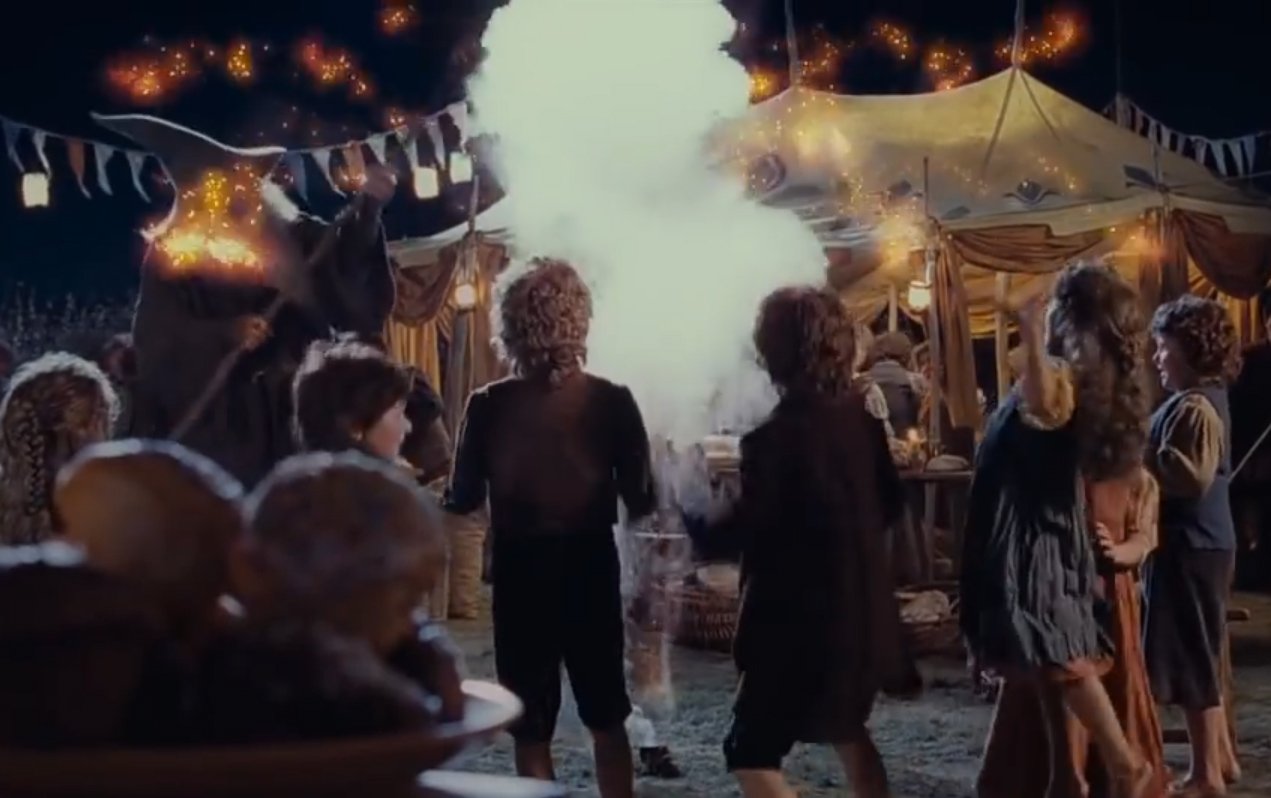
Frame from The Lord of the Rings: The Return of the King (New Line Cinema), used here as the original creative reference, not as my own work.
The brief for myself: butterflies don't have to read as peaceful. With only a month left on the clock, I went straight at this concept instead of sketching alternatives.
Early prototyping
The first pass was a basic blocking: butterflies bursting out of a firework with a stock texture and Unity's standard particle shader, nothing attached yet. Once that read, the idea grew a second beat: instead of just flying off, the butterflies would turn and charge back in. The charging pass and its projectile took a few iterations to land, mainly because I hadn't used external forces to pull particles together before.
Emitter hierarchy
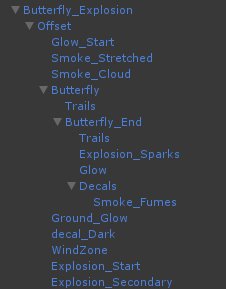
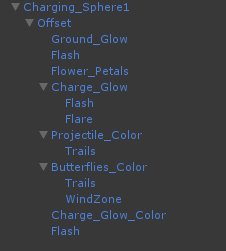
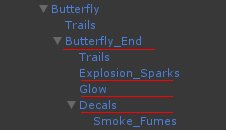
What started as a handful of emitters grew into a fairly deep tree of nested sub-emitters once the charge, collision and decal passes were all attached. Here's the full hierarchy, top and bottom:
Particles: attacking back
Butterflies explode out of a cone emitter with a noise module on, so the motion stays organic rather than a straight burst. To bring them back toward a point — not in a fixed direction, which is what "force over time" would have given me — I added a sub-emitter that spawns on death at its parent particle's exact position, with an external forces module set to a negative value so it pulls everything back toward the center.
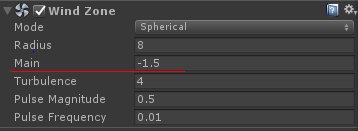
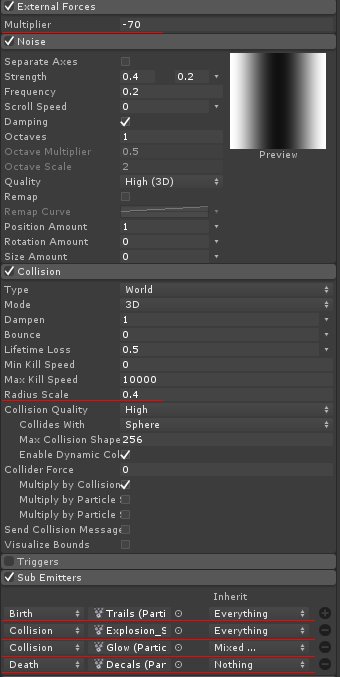
That same sub-emitter also has collision turned on against the sphere, which spawns a decal particle system on death with explosion glow and sparks as its own sub-emitters. Sub-emitters spawning sub-emitters gets hard to picture, so here's the branch with every sub-emitter step marked in red:
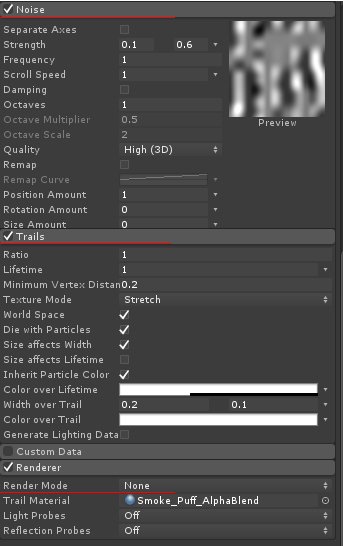
The charging butterflies reuse this same approach, with extra speed added on top of the negative external force to give them a spiral-in motion, and a noise module to keep it from feeling mechanical. All the butterflies render as Stretched Billboards with a faded trail, so they align to their travel direction (they read flat only from directly above). The trailing smoke at the tail end of each burst is a separate emitter: noise module on, rendering turned off on the emitter itself so only its trails draw.
The petals
I first tried a flat flower sprite, but it read as too flat, and modeling and animating a full flower in Unity felt like overkill for what it needed to do. The middle ground: model a single petal and drive it entirely through the particle system, which was also the cheaper option performance-wise.
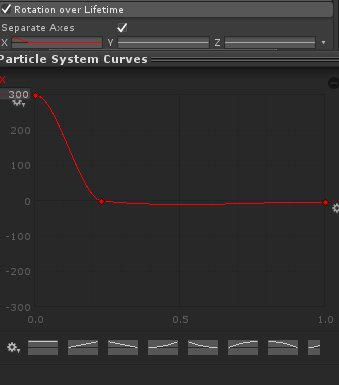
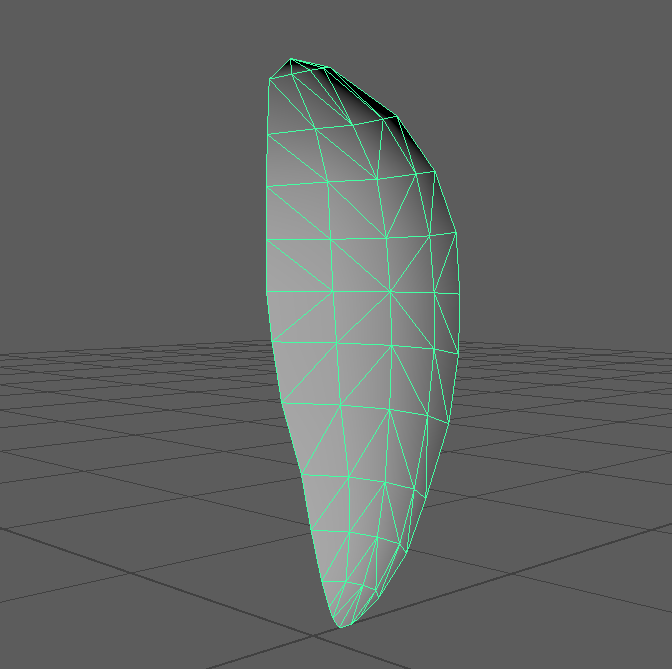
Petals fade out from their point of origin, done with vertex color: painted alpha 0 at the base and smoothed outward from there.
What was hardest
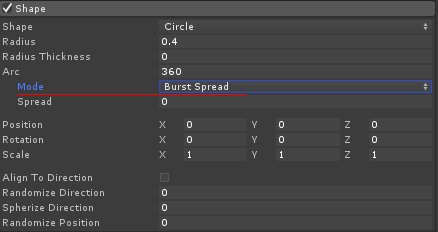
Spacing the petals evenly around a circle emitter took longer than it should have. Radius Thickness on the circle shape gets particles emitting from the edge, but they still weren't evenly spread until I switched Arc Mode to Burst Spread, which fixed it in one setting.
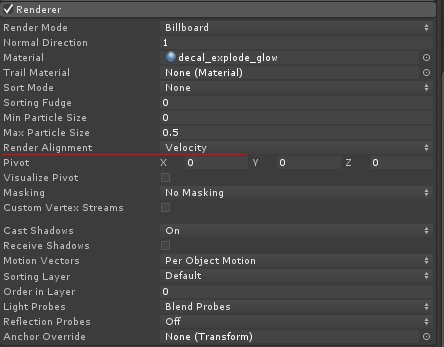
Aligning the explosion decals to the sphere's surface normal took some trial and error too. The fix ended up being small: add a touch of speed to the particles and set the renderer's alignment to Velocity.
External forces were the real takeaway from this project, a module I'd never reached for before and ended up building most of the effect around. A bit of custom shader glow on top, and Unity's post-processing stack for the overall dramatic look, plus a small amount of C# to trigger the VFX at the right moment, rounded the rest of it out.